

If you are driving a light vehicle with an iFace, tablet default speeds maybe set to a Heavy Vehicle by default with max speed of 100kmh.
To resolve this, contact Haddtrack using this form with the Description of the Issue as “Max Speed set to 100kmh”. We will need to make configuration changes to enable you to complete the following steps on your iFace tablet.
- Open SmartNav App
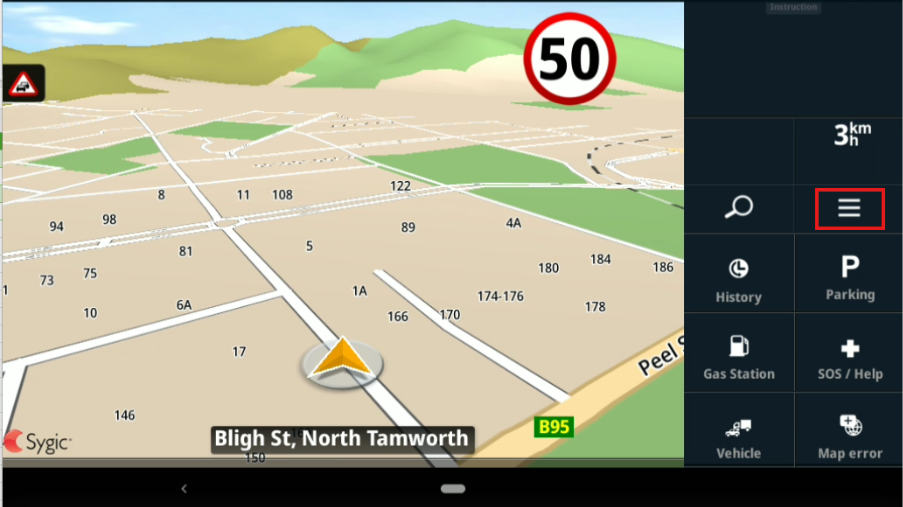
- Select the 3 horizontal lines in the top right corner
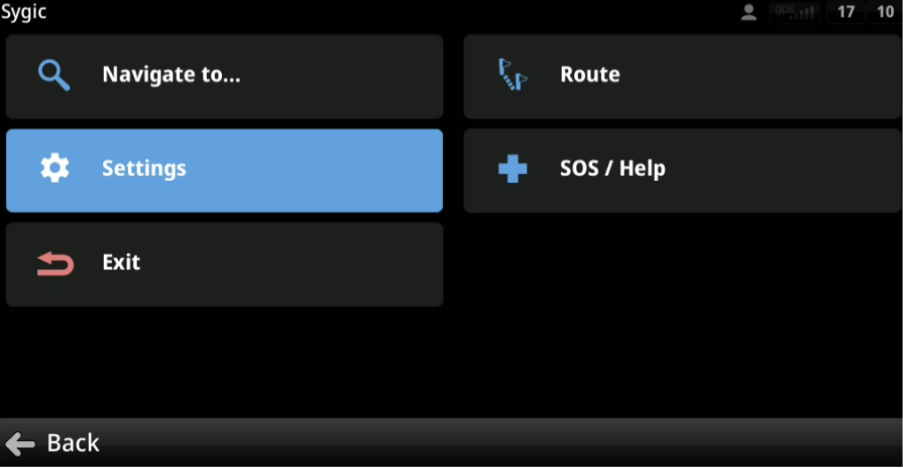
- Select Settings
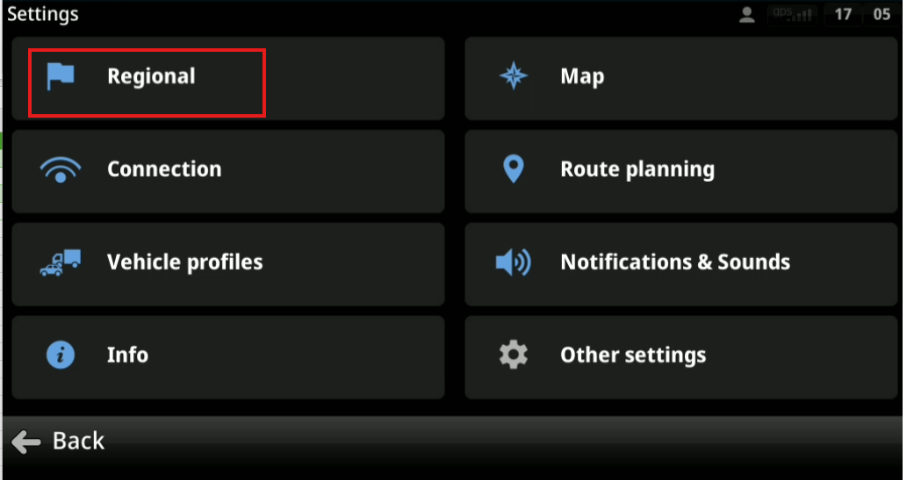
- Select Regional
- Select TTS English AUS (System)
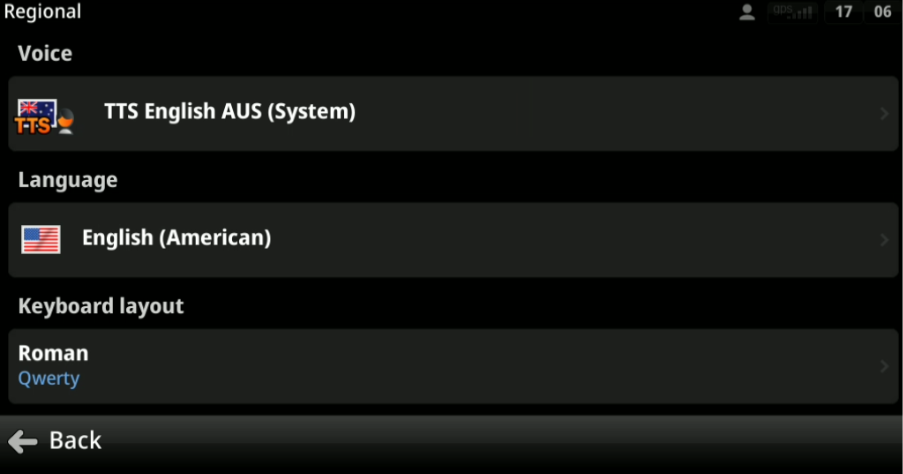
- Press the Back button
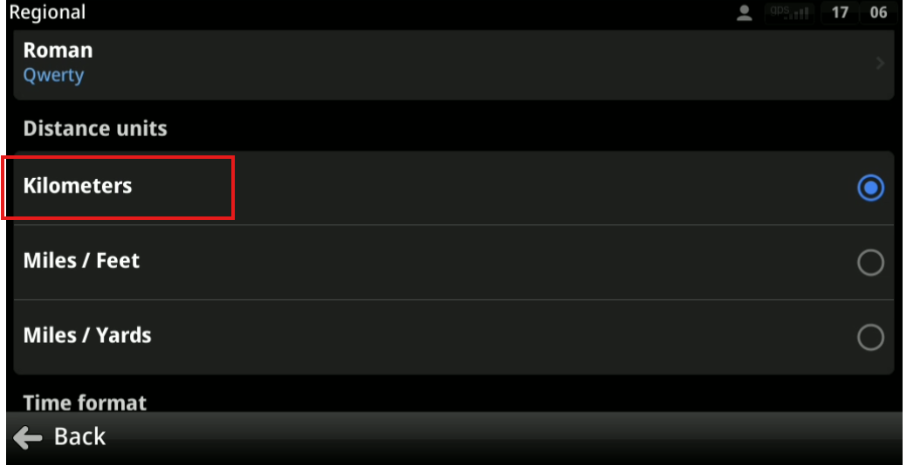
- Scroll down and change the Distance Units to Kilometres
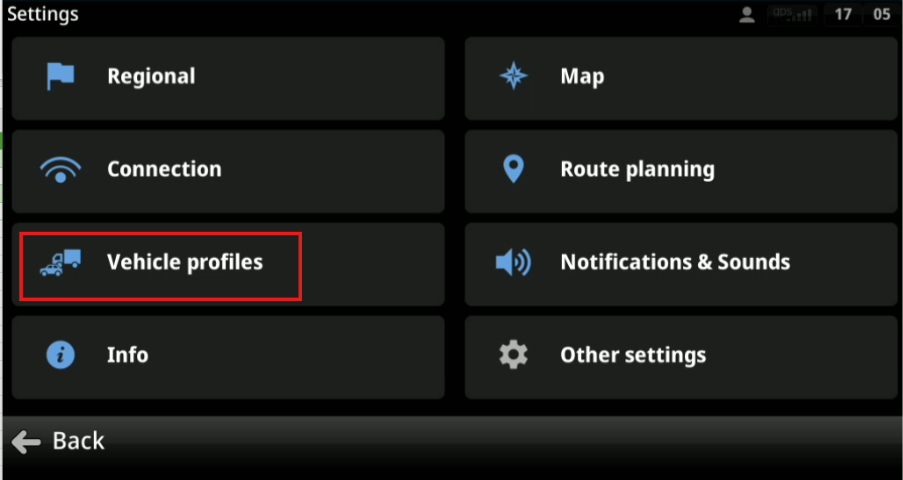
- Go back to Settings
- Select Vehicle profiles
- Add A Vehicle
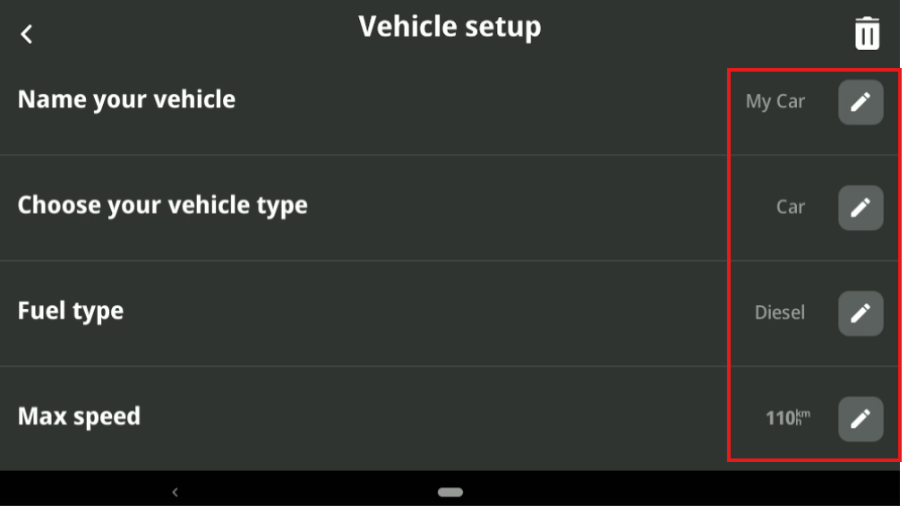
- Edit that Vehicle by pressing the pencil Icon
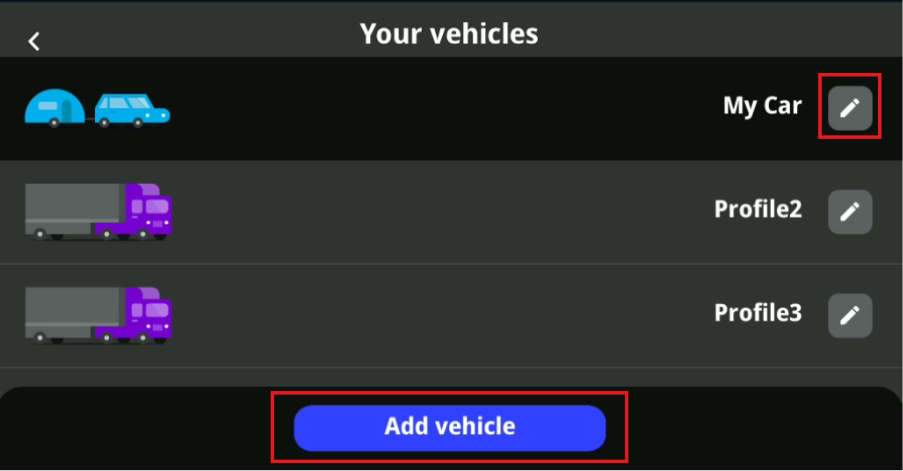
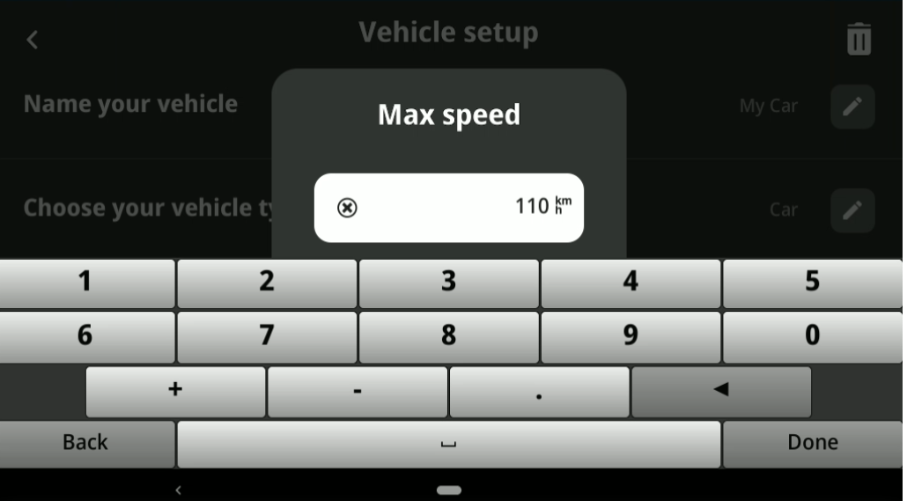
- Complete the vehicle setup, including updating the fields "Choose your Vehicle Type" to Car and "Max speed" to 110k
- Go back to the main SmartNav Screen with the Map and the speed should be in Kms.
Let us know if you need any further help.
Get In touch with us
Raise An Enquiry With Our Team
Oops! Something went wrong while submitting the form.

