

Guideline - NTF Vehicle Categories - PDF Download
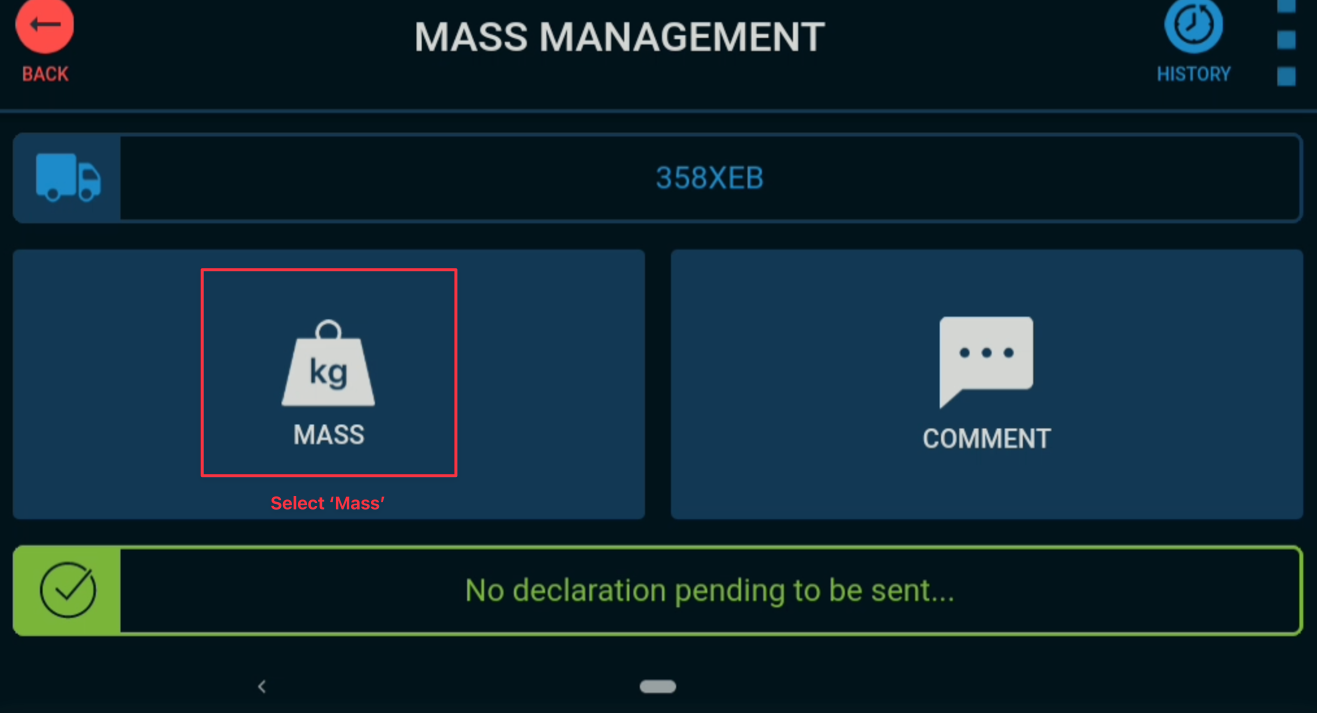
The below screen will display if truck has, and an active TMA enrolment assigned to vehicle profile.
Note: Truck Profile MUST have VT102 + MT201 + TMA Enrolment ALL in same sub-company for this to function correctly.
Truck not enrolled in TMA will default to this screen.
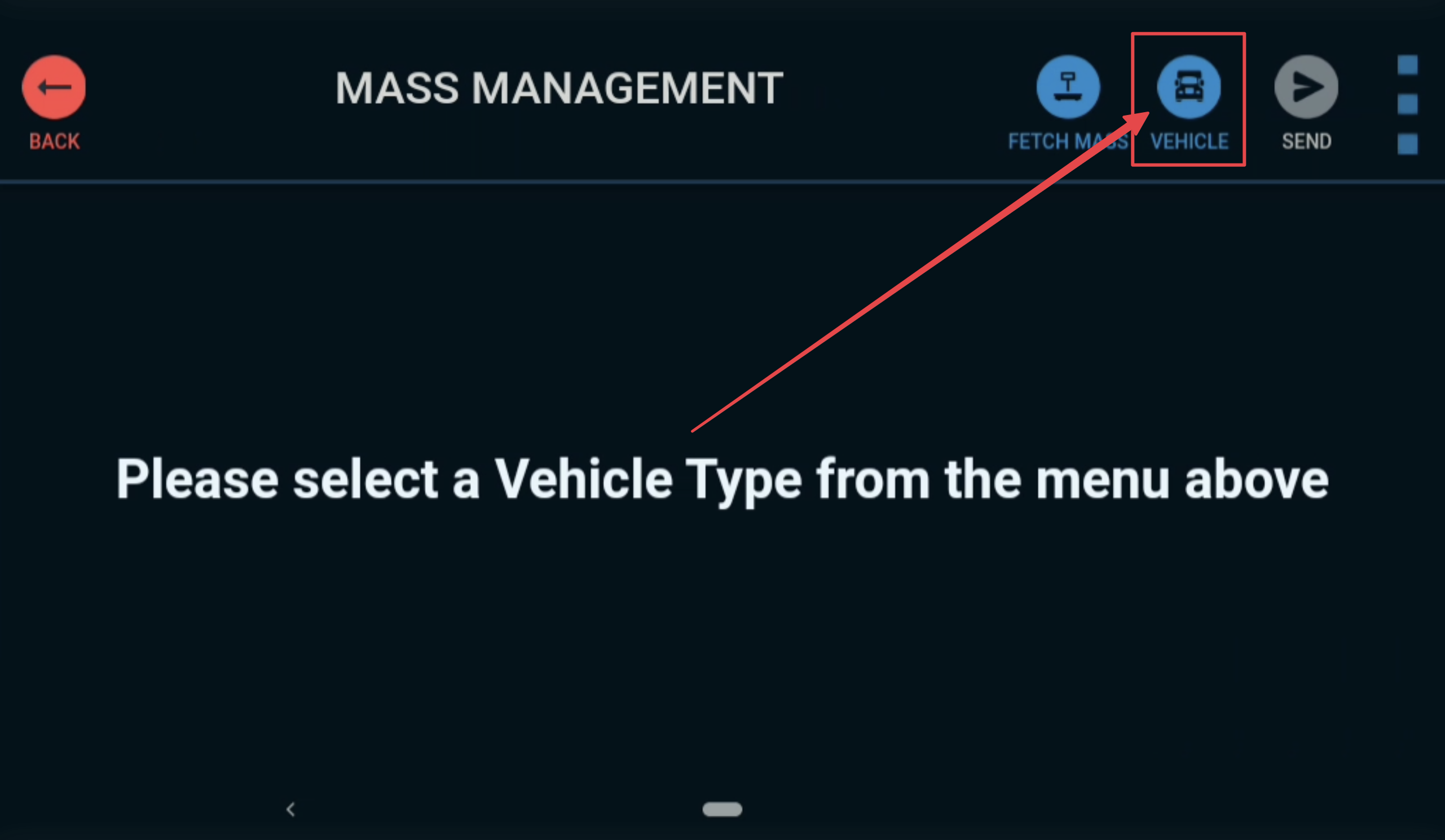
Registration & State will default to vehicles profile in TN360. Note that trucks in TMA these fields will not be editable.
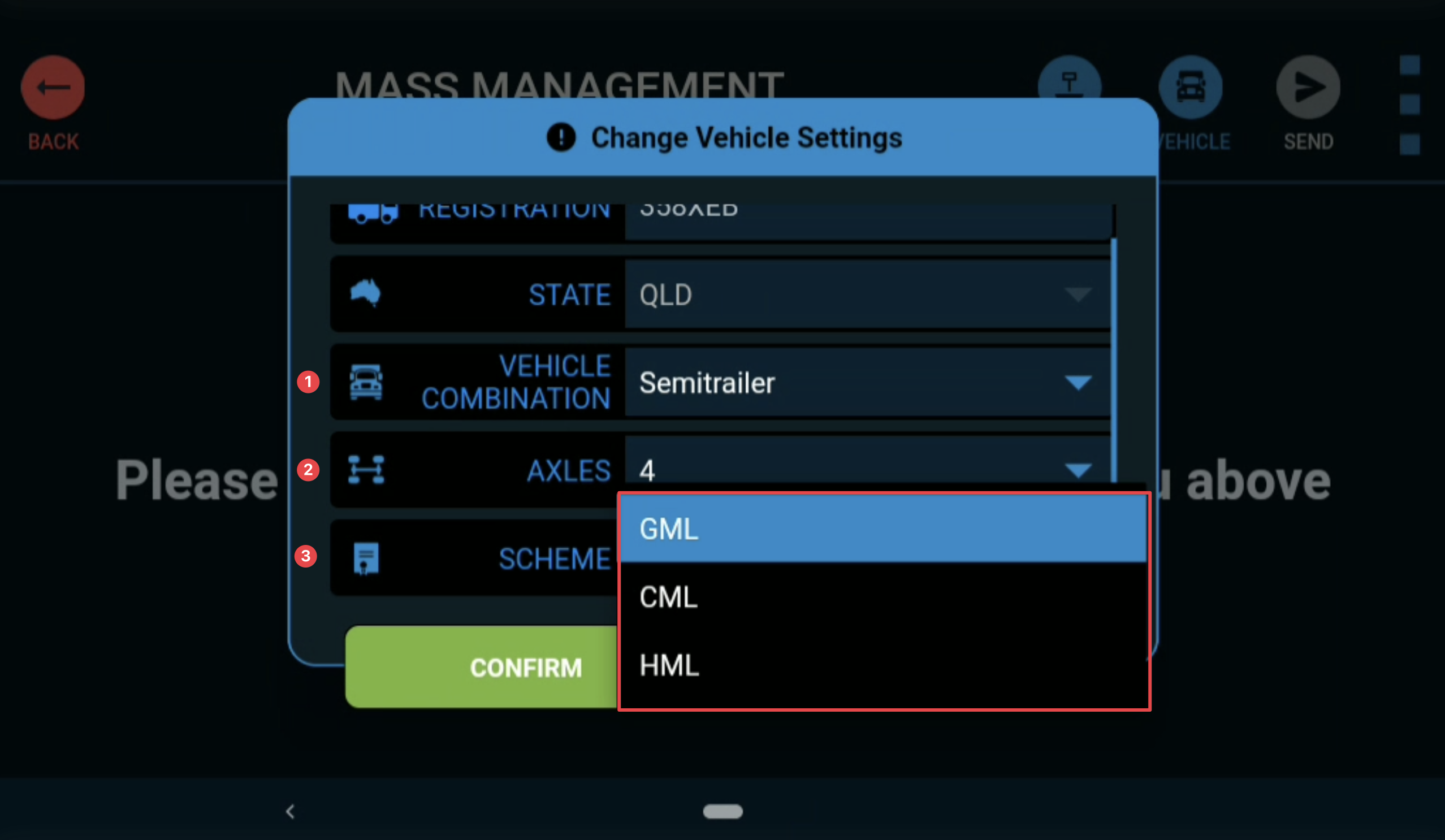
For common ‘Vehicle Combinations’ the ‘Scheme’ is editable & can be selected from dropdown.
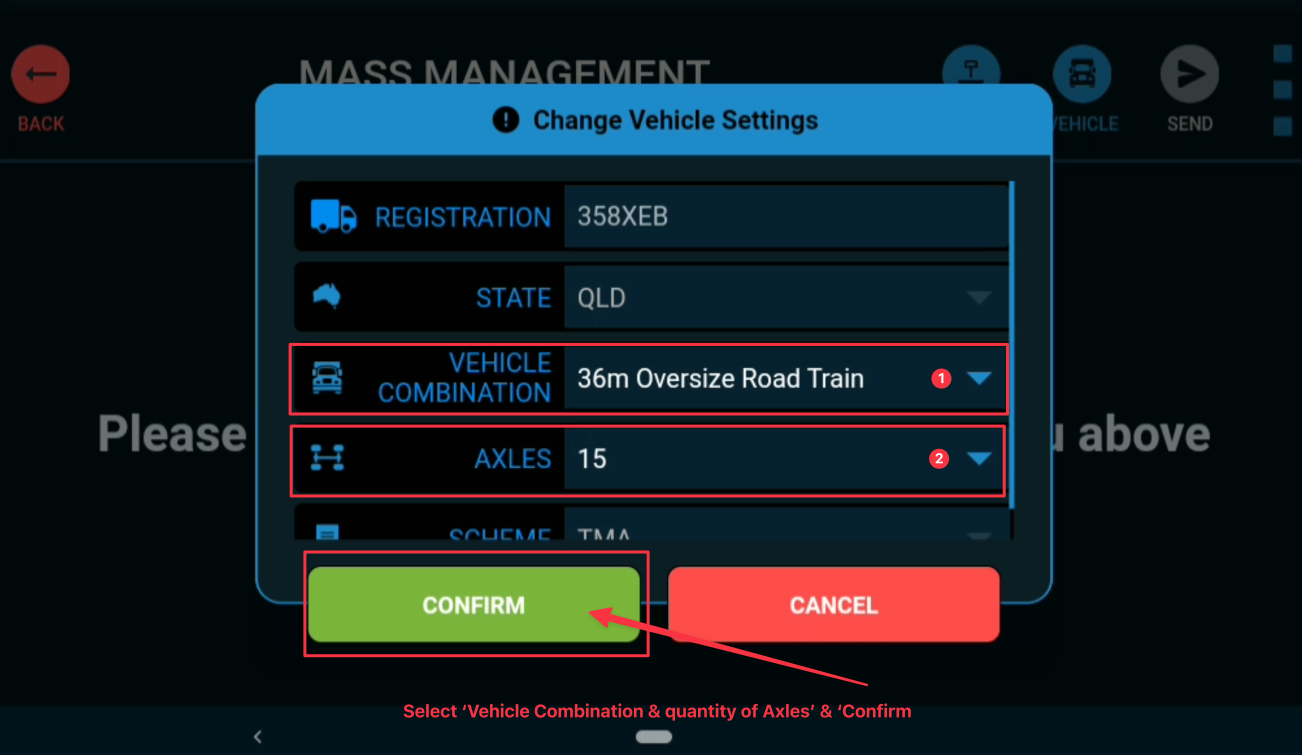
For TMA Mandatory ‘Vehicle Combinations’ the ‘Scheme’ field will default to display ‘TMA’ & is not editable.
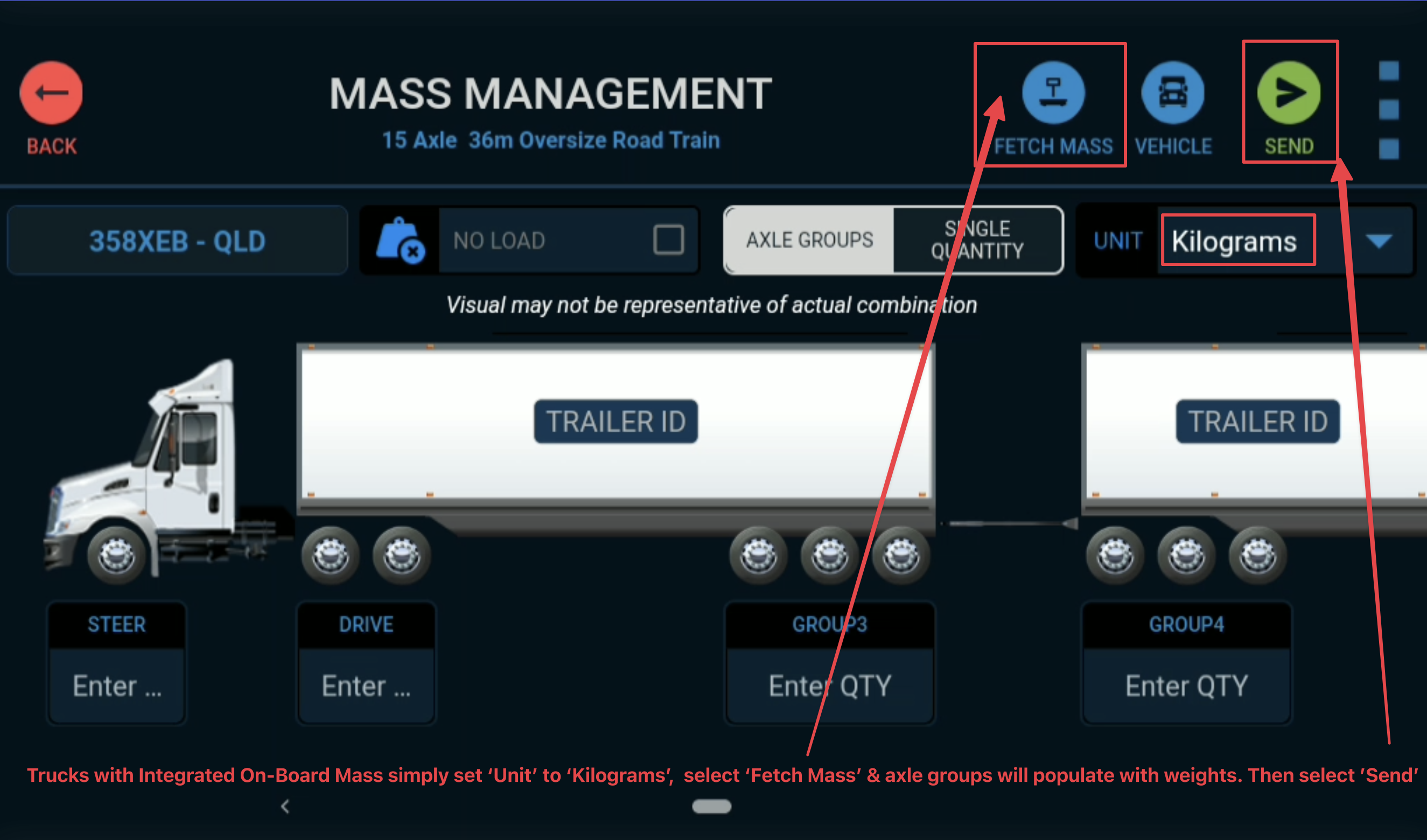
Trucks with Smart OBM / Integrated On-Board Mass
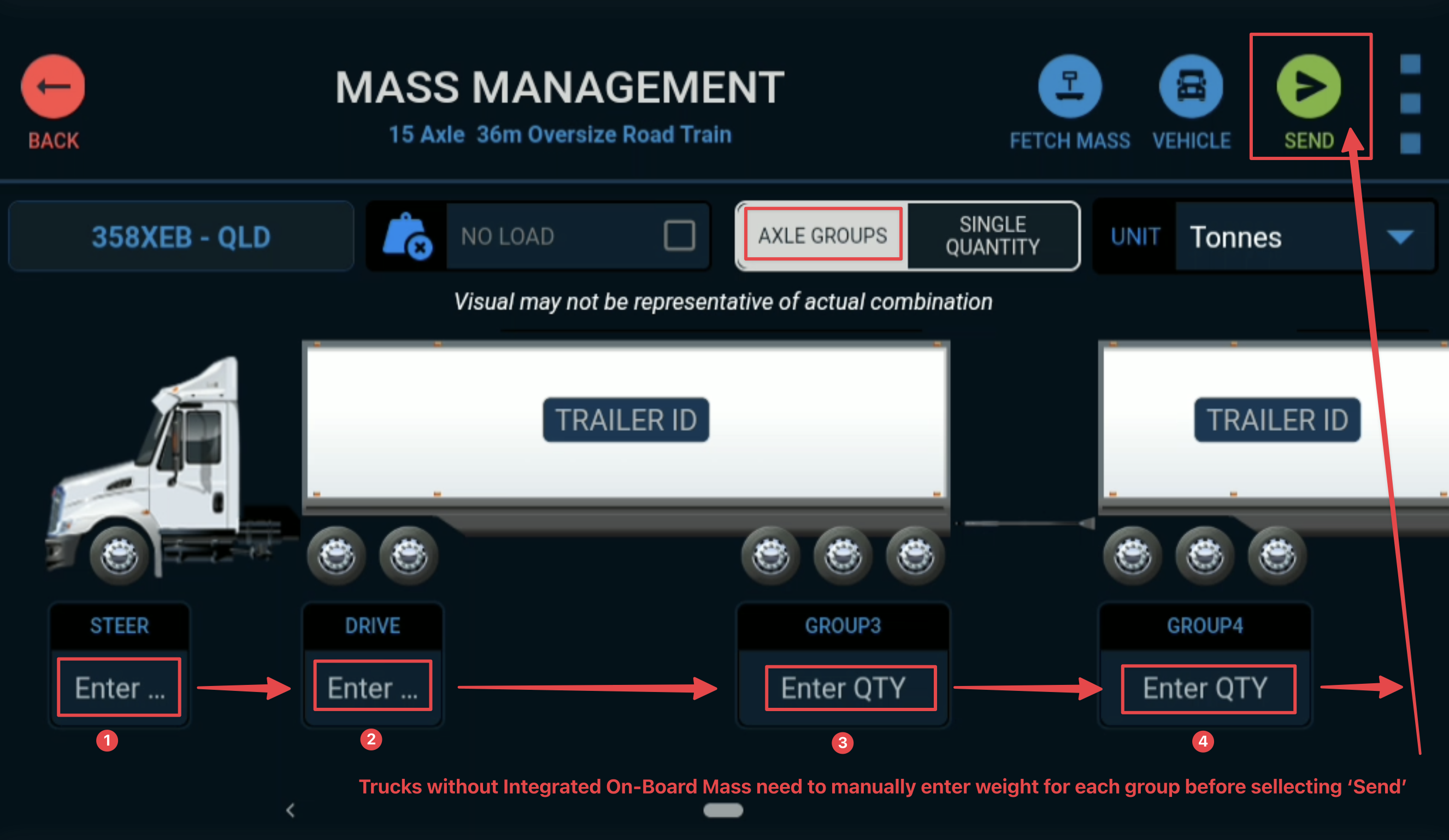
Trucks without Integrated On-Board Mass
Get In touch with us
Raise An Enquiry With Our Team
Oops! Something went wrong while submitting the form.

